✦ Chrome Extension · claude.ai

Claude deserves a
better sidebar

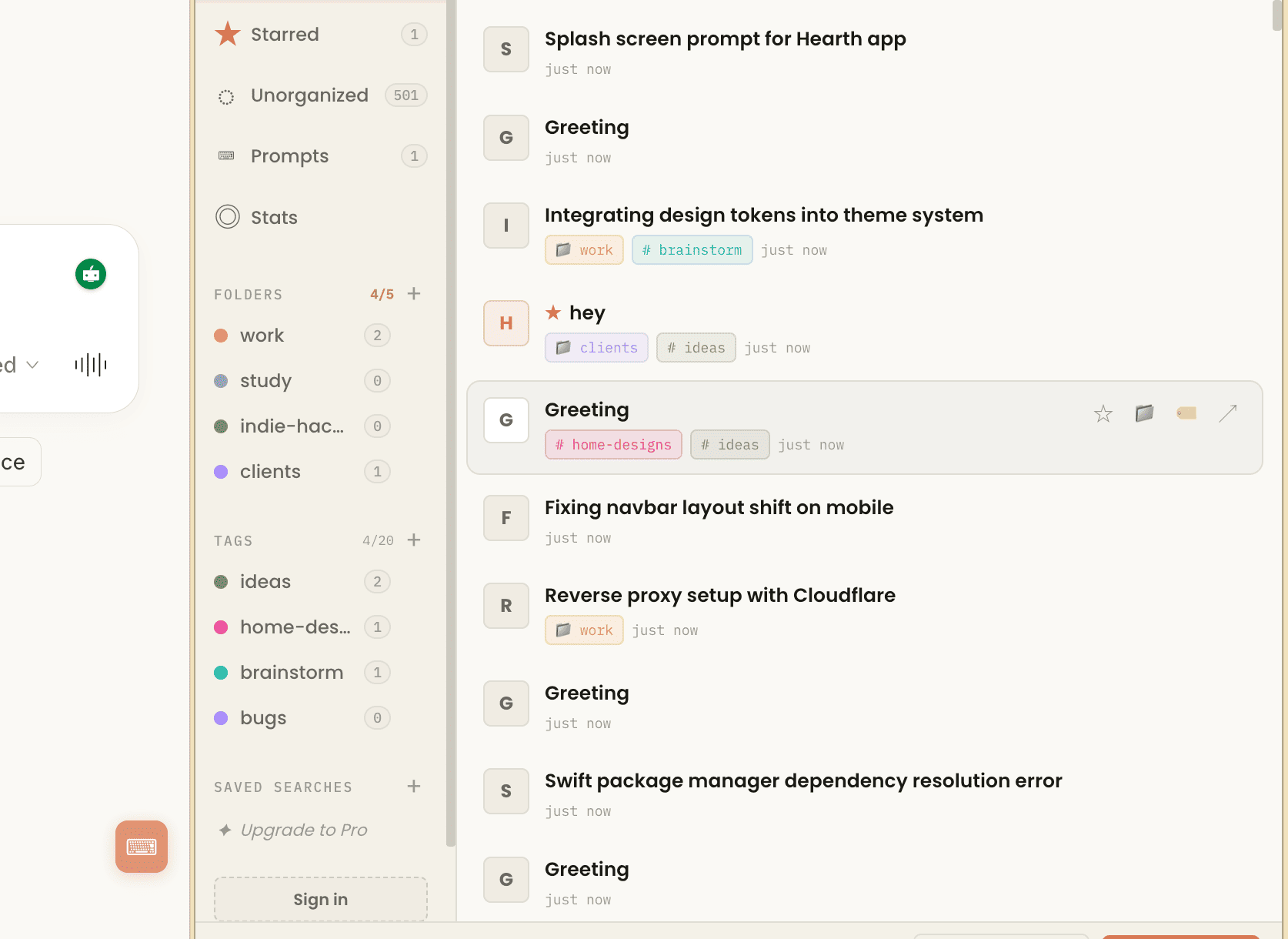
Chat Manager adds folders, tags, a saved prompt library, usage stats, and export to claude.ai — without touching a single line of Claude's code.
claude.ai/chat
✦ No chat content stored ✦ Works in All Chromium-based browsers

Everything your Claude sidebar is missing

The free tier covers most power users. Pro adds cross-device sync and the full history import.

📁
Folders
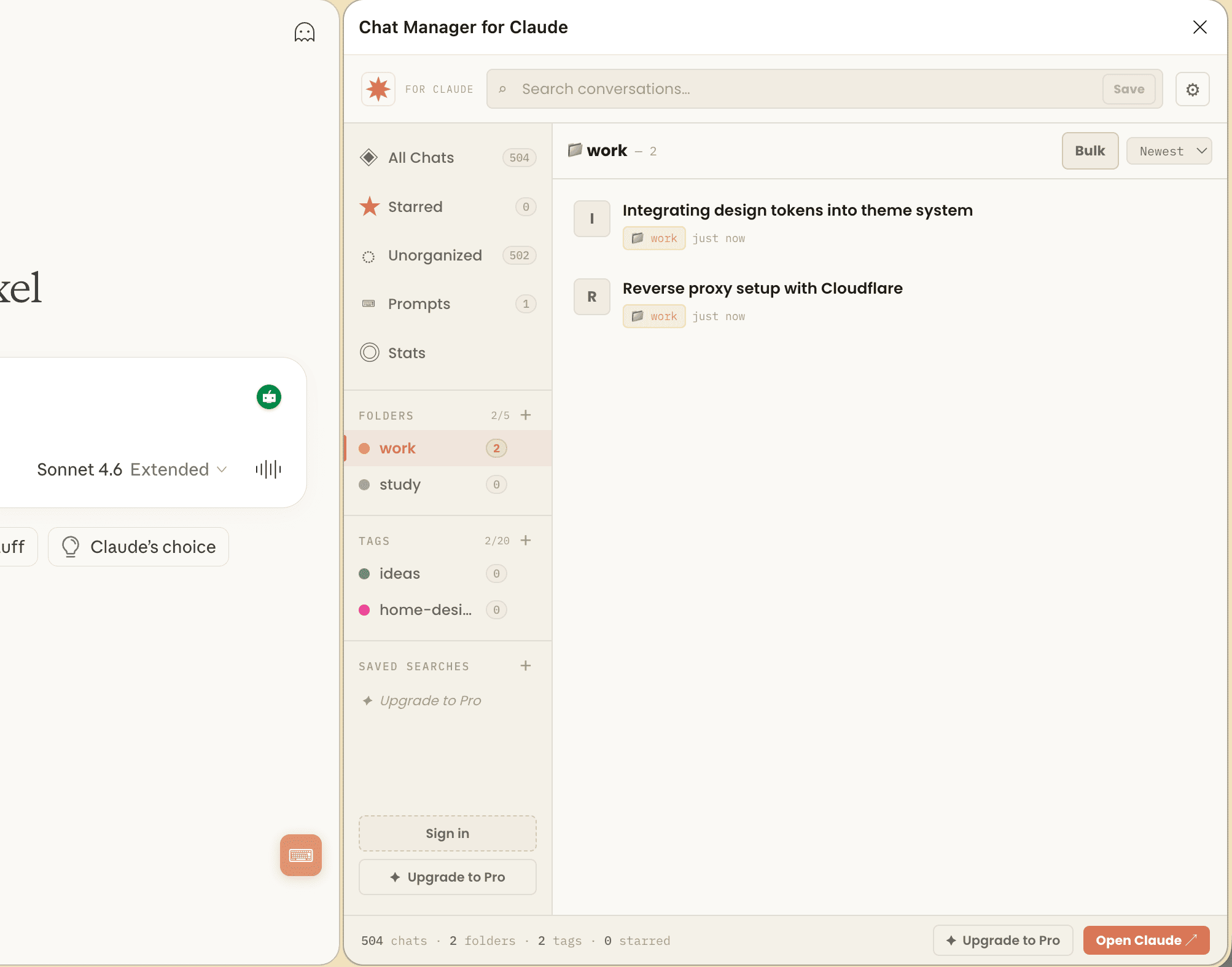
Create color-coded folders and drag conversations into them. Finally, structure for your work projects, personal chats, and research threads.
Free — 5 folders
🏷
Tags
Apply multiple tags to any conversation. Filter by tag in the sidebar instantly. Use auto-tagging rules to tag new conversations by keyword.
Free — 20 tags
Prompt Library
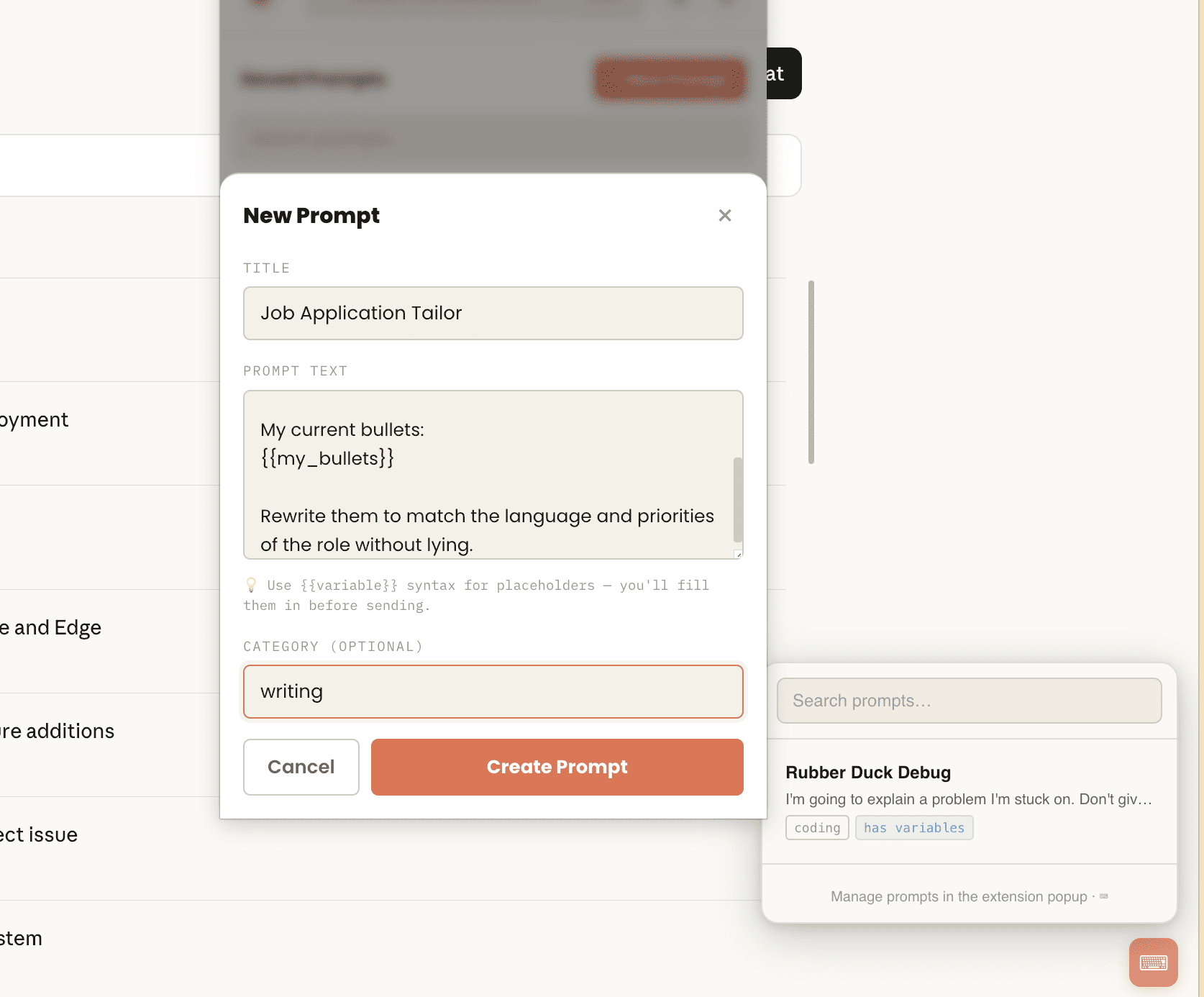
Save your best prompts with a title and category. One click inserts them directly into Claude's input. Template variables let you fill in details before sending.
Free — unlimited
Star & Search
Star conversations for fast access. Search by title across all your chats. Filter by folder, tag, starred, or unorganized in the left nav.
Free
📊
Usage Stats
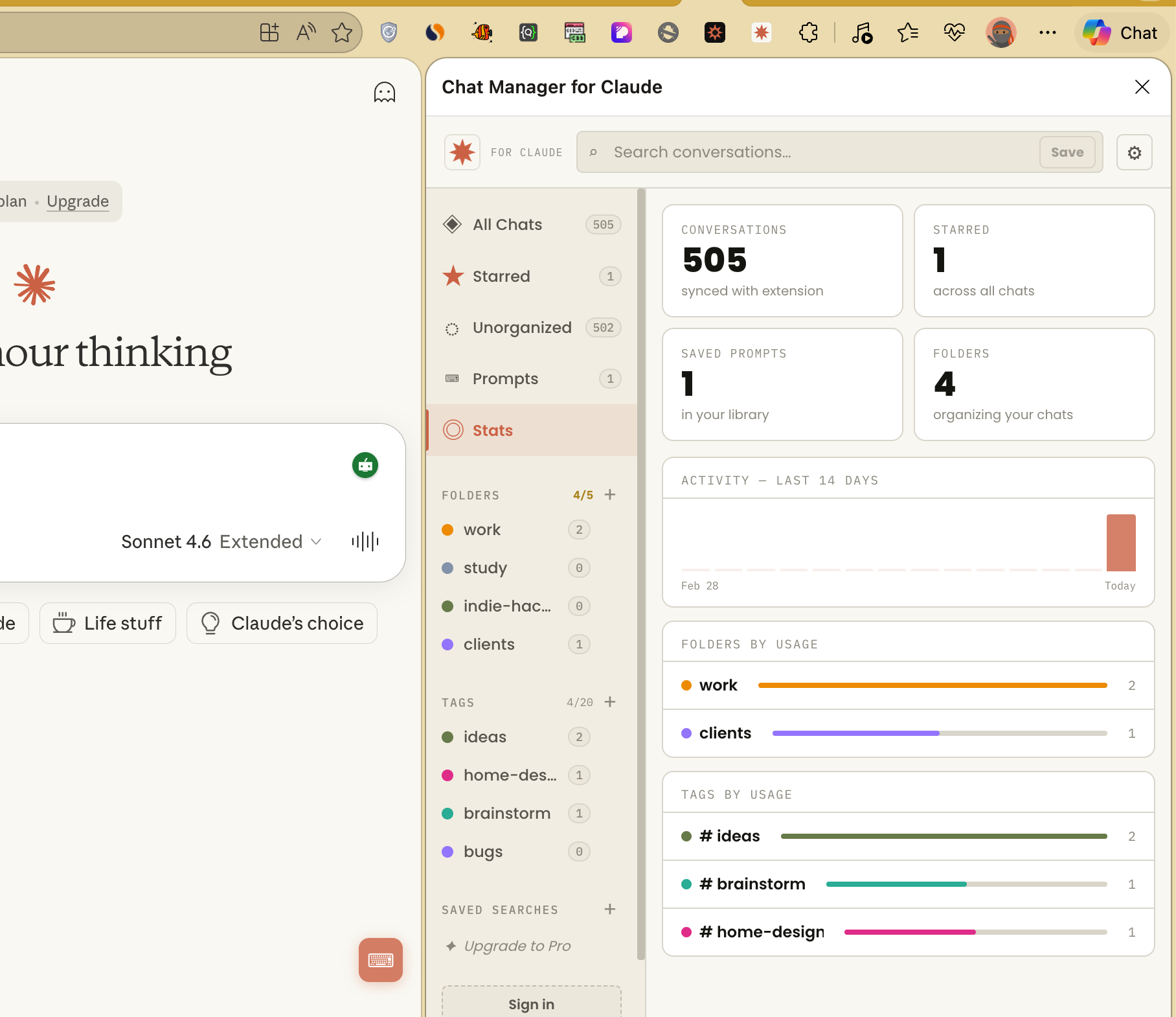
A 14-day activity sparkline, top folders and tags by conversation count, most-used prompts, and total counts. Know how you actually use Claude.
Free
Export to Markdown
Export any conversation as a clean Markdown file with your folder and tag metadata attached. Great for notes apps, git repos, or documentation.
Free
🔄
Cross-device Sync
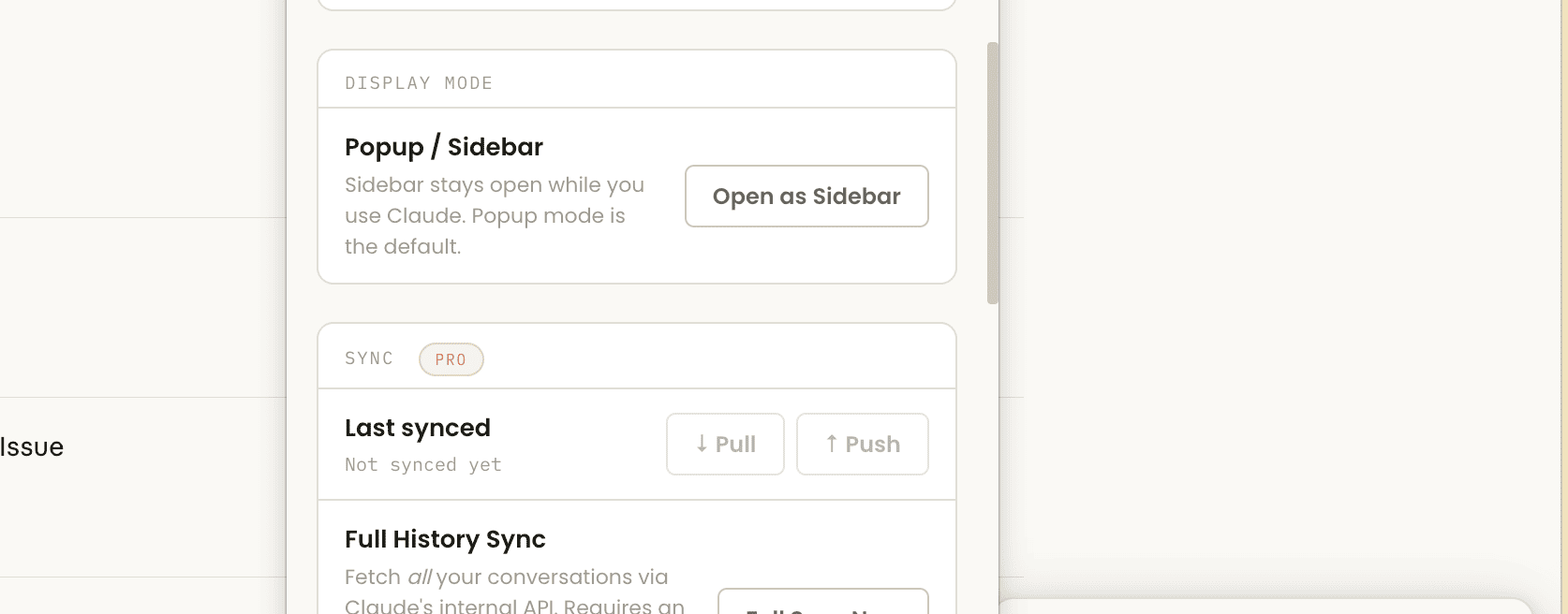
Sign in with Google and your folders, tags, notes, and settings sync across every device where you have the extension installed.
Pro
📥
Full History Sync
Import all your past Claude conversations at once using an opt-in sync that reads directly from claude.ai. Organise years of history in minutes.
Pro
Sidebar Mode
Switch to sidebar mode and the panel stays open while you browse Claude. Your organisation is always one glance away — no popup needed.
Free

Up and running in 60 seconds

No account required for the free tier. No API keys. No configuration. Just install and start organising.

1
Install from the Chrome Web Store
Click "Add to Chrome" and confirm. Works in Chrome 114+ and any Chromium-based browser including Edge and Brave.
2
Open claude.ai as normal
The extension automatically syncs your sidebar conversations as you browse. No manual import needed — it reads what's already on screen.
3
Click the toolbar icon to open the popup
Press ⌘⇧Y or the extension icon to open the manager. Create folders, assign tags, and search your conversations.
4
Hover any chat in Claude's sidebar to organise it
A small ⋮ button appears on hover. Click it to star, move to a folder, or add tags directly from claude.ai — no need to open the popup.

Free for most people. Pro for power users.

The free tier is genuinely unlimited on the things that matter most. Pro adds cloud sync and history import.

Free
$0
forever

  • Up to 5 folders
  • Up to 20 tags
  • Unlimited saved prompts
  • Prompt template variables
  • Star & search conversations
  • Export to Markdown
  • Usage stats & sparkline
  • Sidebar mode
  • Cross-device sync
  • Full history import
  • Unlimited folders & tags
Install Free

Common questions

Is this an official Anthropic product?
No. This is an unofficial, independent Chrome extension. It is not affiliated with, endorsed by, or supported by Anthropic. "Claude" is a trademark of Anthropic, PBC.
Does this store my conversations?
No. The extension only stores metadata — folder assignments, tag names, your notes, and prompt titles and text. The actual content of your Claude conversations never leaves your browser and is never sent to our servers. See the Privacy Policy for full details.
How does the prompt library insert text into Claude?
The extension uses a content script to simulate a paste event into Claude's input field. It uses the same DOM APIs that keyboard shortcuts use — no automation or browser-level injection. Claude's React app receives the text naturally and processes it the same way as if you typed it.
What is "Full History Sync" and is it safe?
Full History Sync is an opt-in feature that fetches all your past conversations from claude.ai using the same internal API your browser uses when you're logged in. It requires you to have Claude open in a tab so the request is authenticated with your existing session. It only reads conversation titles and IDs — not message content. Note: this feature uses an undocumented API that could change if Anthropic updates their infrastructure.
Does it work with Claude Teams or Enterprise?
It should work with any claude.ai account type, including Teams and Enterprise plans, since it operates on the same claude.ai interface. However, it has been primarily tested on personal accounts. Enterprise accounts with custom domains or SSO may have limited compatibility.
Can I cancel Pro at any time?
Yes. You can cancel your Pro subscription at any time from the extension's Settings → Plan & Pricing → Manage subscription. You keep Pro access until the end of your billing period. Your data (folders, tags, prompts) is always yours regardless of plan.
Does it work in Firefox or Safari?
Currently Chrome and Chromium-based browsers only (Chrome 114+, Edge, Brave, Arc). Firefox uses a different extensions API and Safari has additional restrictions. Support for other browsers may be added in future versions.

Your Claude sidebar, finally organised

Free to install. No account required to start. Works the moment you open claude.ai.

Add to Chrome — It's Free