Free Chrome Extension

Make your LinkedIn
posts unforgettable

Screenshot any LinkedIn post in one click. 40 image backgrounds, gradient presets,
custom uploads, and 4K export — all completely free.

No account. No credit card. No catch.
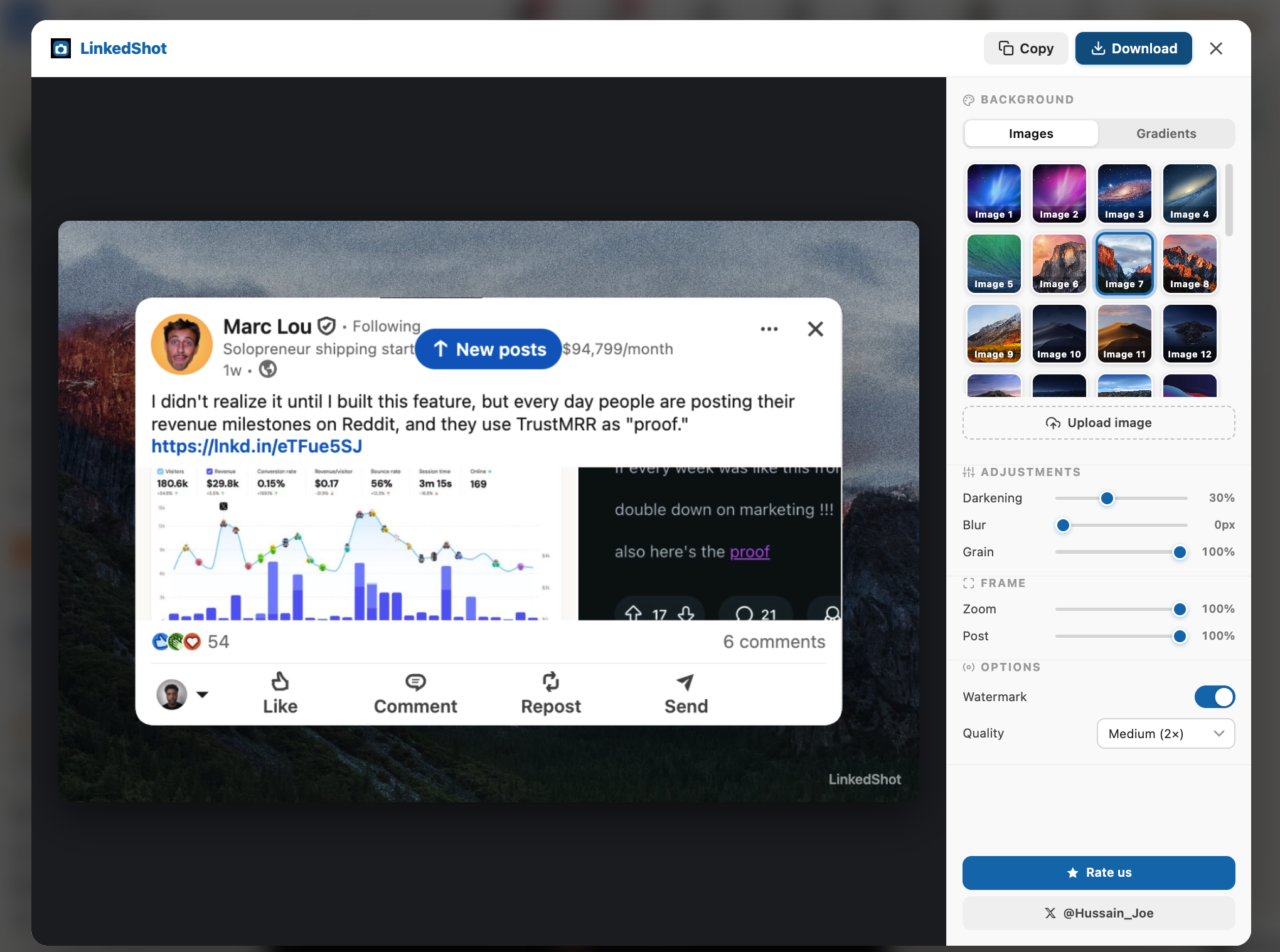
LinkedShot editor preview using a LinkedIn post
40+ Backgrounds
4K Export quality
1-click Capture
Free Always
How it works

Three steps to a perfect shot

01
🔧

Install the extension

Add LinkedShot to Chrome in seconds. No account required, no setup, no configuration.

02
👆

Click any post

A camera button appears on every LinkedIn post. Click it to instantly capture that post.

03
🎨

Style & export

Pick a background, adjust the look, then download a 4K PNG ready for sharing.

Everything included

All features, zero cost

No tiers. No limits. No upsells.
Everything LinkedShot does is free, forever.

🖼

40 image backgrounds

A curated library of beautiful, high-resolution image backgrounds — nature, texture, abstract, minimal.

🌈

Gradient presets

Dozens of stunning gradient backgrounds — LinkedIn blue, warm sunset, dark midnight, and more.

📁

Upload your own

Use your own brand image, headshot, or any photo as the background. Full custom control.

🎛

Fine-tuned controls

Adjust darkening, blur, grain, and zoom. Get the exact look you want with precise sliders.

4K export

Export at full 4K resolution — sharp enough for any presentation, newsletter, or social post.

📋

Instant PNG download

Download your final image as a PNG and use it in Notion, Slack, Canva, newsletters, or anywhere.

Ready to start?

Install LinkedShot — it's free

Capture beautiful LinkedIn posts in one click.
No account. No setup. Works instantly.

Add to Chrome — Free Privacy Policy